Bank Reconciliation
MIP supports two types of reconciliation methods: manual and automatic. You can choose either method depending on your organization’s needs.
Manual Reconciliation is the default reconciliation method available to all organizations. You'll manually review and clear activity in MIP against your bank statement. During reconciliation, you can work with Checks and Vouchers, Deposits, Other Cash Items, and Suspense Items.
-
No setup is required to get started. Simply Add a New Reconciliation to begin.
Automatic Reconciliation allows you to connect a financial institution to MIP so you can bring in bank activity and reconcile with less manual effort. During reconciliation, your bank feed flows into MIP, making it easier to match bank transactions to activity recorded in MIP.
-
Get started by setting up your bank connection through Module Setup > Connect to Financial Institution. Once connected, you can Add a New Reconciliation.
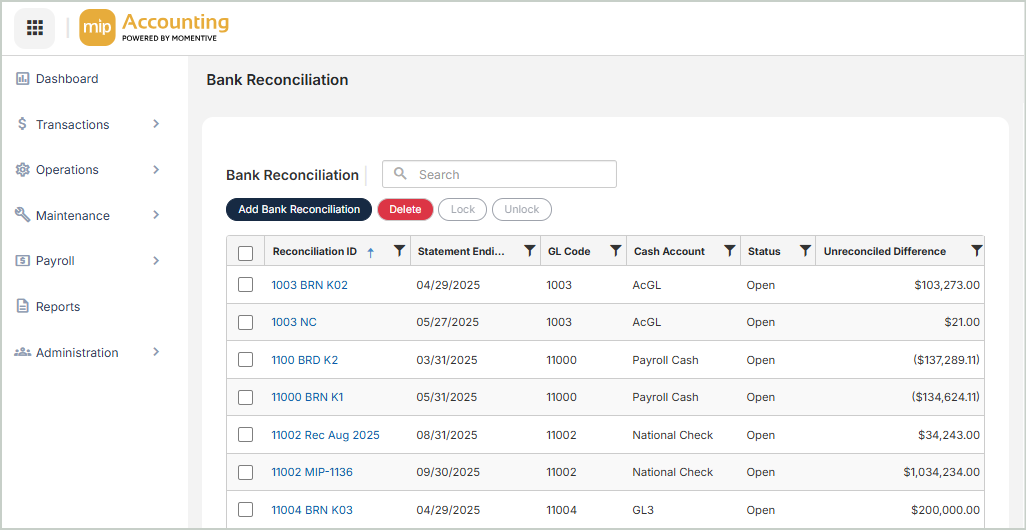
Lock & Unlock Reconciliations
-
Lock - Once the Unreconciled Difference is $0.00 for the cash account you're reconciling, use the Lock button to record a historically accurate record of the reconciliation. This should be done once you're sure that subsequent activity will not affect the reconciled Book Balance. Note that a Suspense Item cannot be deleted if contained in a Locked Reconciliation ID.
-
Unlock - Use the Unlock button to unlock a previously locked reconciliation.
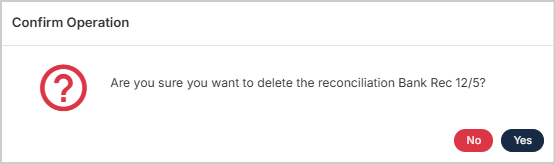
Delete Reconciliations
Before deleting a reconciliation, ensure you’ve selected the correct record you want to remove from the system. Deletion is permanent and cannot be undone.