Fixed Asset Quick Entry
Fixed Asset Quick Entry is available within the Accounts Payable and Cash Disbursements modules. It's an easy way to add an asset to a cash disbursement or AP invoice without having to exit the session. The option becomes available when you select a GL segment with an account type of FAO.
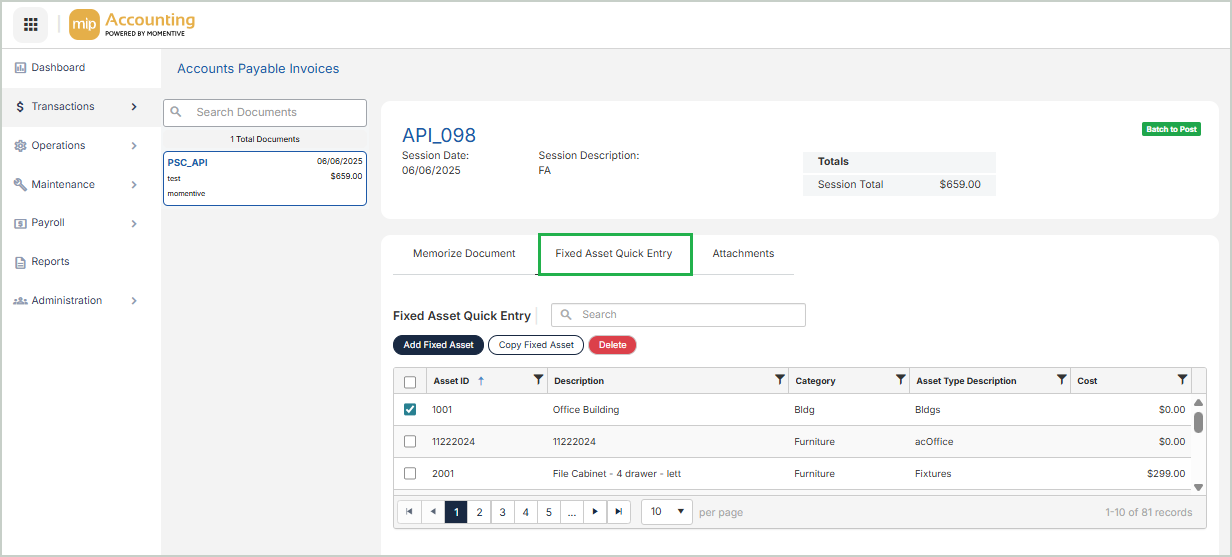
To speed up the transaction entry process, there are only a few fields available when adding an asset through Quick Entry. You can add a field for Life through module setup (see Set Up the Fixed Assets Module).
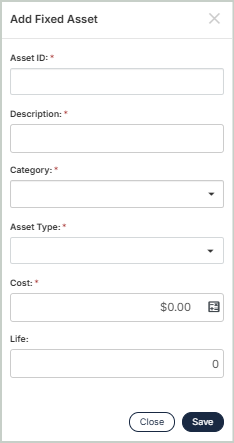
Once an asset has been added via quick entry, you can add more information or make changes to it through Maintenance > Fixed Assets and selecting the asset from the grid (see Asset Profile).
Note: If the "Turn On Validations" checkbox is selected on the Fixed Assets module setup page (Administration > Organization Settings > Module Setup > Fixed Assets), you will not be required to select an FAO account type to use Fixed Asset Quick Entry - see Set Up the Fixed Assets Module.