Maintenance Mode
Maintenance Mode is a system state that allows administrators to safely complete certain tasks that require exclusive access to the organization's database. It temporarily restricts new logins to the organization while the operation is in progress.
Maintenance Mode is automatically enabled during the following operations:
-
Updating User Defined Fields (UDFs)
-
Closing the fiscal year
Once the operation is complete, Maintenance Mode is automatically turned off and access to the system is restored.
For Administrators
When you begin an operation that requires Maintenance Mode:
-
MIP checks whether anyone is currently connected to the organization's database across all MIP applications (including MIP Classic, MIP Modern, HR, EWS, Microix, and DrillPoint).
-
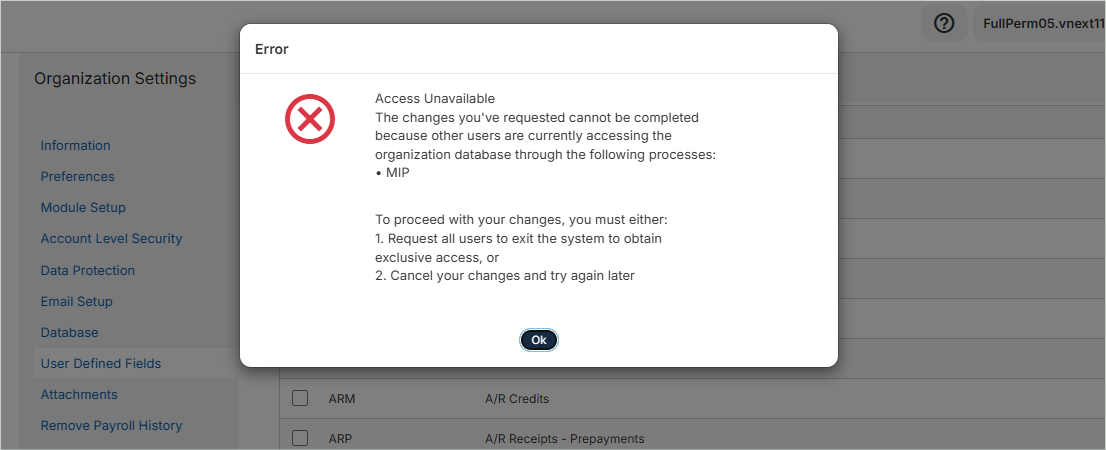
If users are still connected, you'll be notified and request that they sign out or try again later.
-
Once all users have signed out, MIP automatically enables Maintenance Mode and begins the operation.
-
When the operation is complete, Maintenance Mode is automatically disabled.
Viewing Connected Users
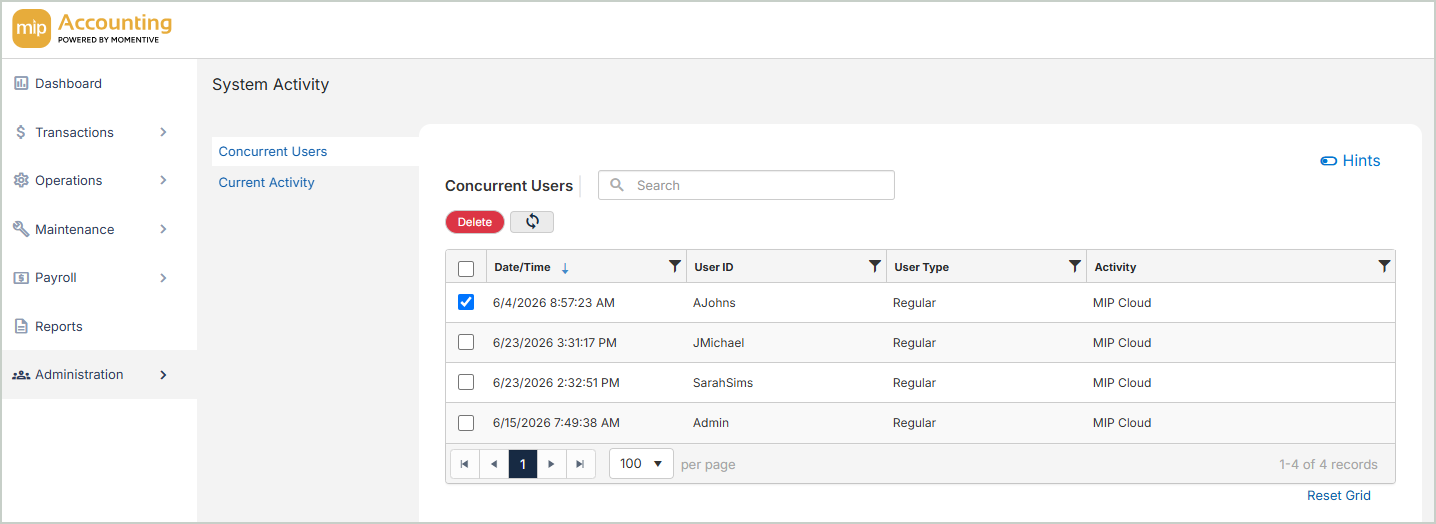
If you need to see who is currently connected to an organization, go to Administration > System Activity > Concurrent Users. To sign out a user, select the user and click Delete.
Note: The Concurrent Users window only displays users signed in to MIP Classic or MIP Modern. It does not show connections from other applications, such as HR or EWS.
For Users
Maintenance Mode temporarily prevents you from accessing an organization while certain administrative tasks are being performed.
If your organization is in Maintenance Mode:
-
You won't be able to log in to the organization until the administrator completes the task.
-
If you're already signed in to MIP and try to switch to an organization that's in Maintenance Mode, you'll be temporarily blocked from doing so.
Once the maintenance operation finishes, access is restored automatically.
If you can't log in due to Maintenance Mode, wait a few minutes and try again. If the issue persists, contact your organization's administrator.
Note: If you're using MIP Modern and have access to multiple organizations, you'll automatically be signed in to the next available organization if your default organization is in Maintenance Mode.
FAQs
Will I lose unsaved work?
No. Maintenance Mode does not disconnect users who are already signed in. It only prevents new logins while maintenance is in progress.
How long does Maintenance Mode last?
Maintenance operations are typically completed within a few minutes. Access is restored automatically when the operation finishes.
Does Maintenance Mode affect other MIP applications?
Yes. While Maintenance Mode is active, users cannot log in to any applications connected to the organization until maintenance is complete (such as HR or EWS).
Does this apply to all MIP deployments?
No. Maintenance Mode is available only in multi-tenant environments.